

Better Inventory Tools For Clover Merchants Tired Of Guesswork
Track stock, automate counts, sync locations, and connect Clover with all the places you sell without spreadsheets or manual updates.
- Add inventory reporting, Modifiers, stock counting, automated re-ordering, and more to your Clover.
- Automatically sync your inventory in real-time across your Clover POS locations and e-commerce platform.
- Work with a dedicated Account Specialist and live chat support during your 14-day free trial to get started.
Free demo included, customized for Clover businesses.
Top Inventory Management Tools For Clover
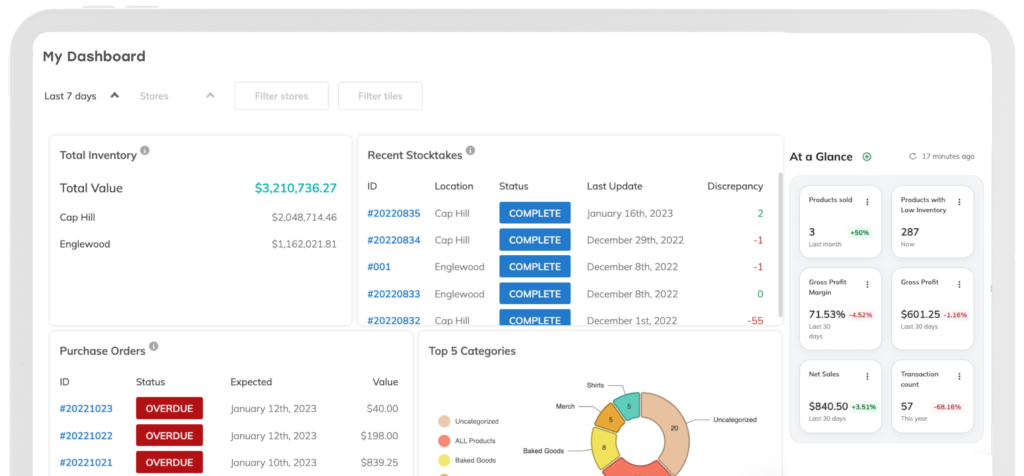
Thrive Inventory turns Clover into a powerful inventory management system. Get away from spreadsheets and workarounds with a centralized database for inventory management, multi-channel catalog management, and reporting.
Reporting
Modifiers
Multi-Location & Channel
Connect Your Clover With Everywhere You Sell
Get started with a free inventory management trial. Sign up with Thrive Inventory for one-click integration with your Clover account.



More Features We Think You'll Like
Catalog Management
Stock Counts
Automated Re-Ordering
Just looking for a better way to run stock counts? Check out our Thrive Inventory Stock Counts App for Clover.
Why Clover Businesses Choose Thrive Inventory Management

“Best inventory management [app] available on Clover. We decided to use Thrive Inventory after becoming frustrated with Clover's huge lack of inventory management features.
Thrive Inventory allows us to easily manage our inventory, accounting for every item that comes in and out of stores, including dealing with exchanges and returns. Don't hesitate to try this incredibly valuable tool for your retail store(s).”
- NOAH, BOGEY’S SMOKE SHOP
Clover Businesses We Work With
Whether you’re a food truck or have boutiques around the state, Thrive Inventory works with all types of businesses worldwide.

Retail

Restaurants

Services
Cafe & Coffee Shops

Bars & Pubs

Liquor Stores
Support For Clover Businesses
Personalized Onboarding
Work with a dedicated Account Specialist and access high-quality training videos, guides, and checklists to set your account up for success.
Catalog Migration
We’ll import your catalog from your Clover POS system into Thrive Inventory so you don’t have to with our catalog migration Professional Service.
Live Chat
For the quickest response, chat with one of our expert Customer Care Reps by clicking the chat bubble in the bottom right-hand corner of your screen.

Plans For Every Clover Store
Starter
Save $50/yr- 1 User
- 1 Location
- 1 Integration
- AI Assist
- 1 Year Order History
- 1 Year Reporting
- 1,500 Transactions / Mo
Standard
Save $120/yr- 2 Users
- 2 Locations
- 2 Integrations
- AI Assist
- 3 Years Order History
- 3 Years Reporting
- 3,000 Transactions / Mo
Professional
Save $360/yr- 5 Users
- 5 Locations
- 5 Integrations
- AI Assist
- Unlimited Order History
- Unlimited Years Reporting
- 10,000 Transactions / Mo
Elite
Save $480/yr- 10 Users
- 10 Locations
- 10 Integrations
- AI Assist
- Unlimited Order History
- Unlimited Years Reporting
- 25,000 Transactions / Mo
Starter
Save w/ Annual Plan- 1 User
- 1 Location
- 1 Integration
- AI Assist
- 1 Year Order History
- 1 Year Reporting
- 1,500 Transactions / Mo
Standard
Save w/ Annual Plan- 2 Users
- 2 Locations
- 2 Integrations
- AI Assist
- 3 Years Order History
- 3 Years Reporting
- 3,000 Transactions / Mo
Professional
Save w/ Annual Plan- 5 Users
- 5 Locations
- 5 Integrations
- AI Assist
- Unlimited Order History
- Unlimited Years Reporting
- 10,000 Transactions / Mo
Elite
Save w/ Annual Plan- 10 Users
- 10 Locations
- 10 Integrations
- AI Assist
- Unlimited Order History
- Unlimited Years Reporting
- 25,000 Transactions / Mo
*Inordinate data request or API volume may be throttled or blocked at the sole discretion of Thrive Inventory.
More Resources For Your Clover Store






Try Clover Inventory Management For Free
Join Thrive Inventory and start saving on average 1 hour per day per location. Get advanced features such as
custom inventory reports, barcode scanning, automatic purchase orders, price tag printing and more.
FAQs
How frequently does Thrive Inventory sync to Clover?
When you add a new product, edit your catalog, or update inventory levels, it will be reflected in your Clover POS within 2-3 minutes on average.
Is the integration between Thrive Inventory and Clover two-way?
No. All inventory, catalog, and stock levels edits should be made in Thrive Inventory. Any changes made directly in Clover will not be reflected in Thrive Inventory.
What product fields does Thrive Inventory sync to Clover?
Here are the product fields Thrive Inventory will sync when you connect your Clover account:
- Name
- Category
- SKU
- Product code
- Variants
- Price
- Default
- Modifiers
Can Thrive Inventory manage multiple Clover registers or locations from a single dashboard?
Yes. If you have multiple registers linked to a Clover location, Thrive Inventory will automatically sync there.
Thrive Inventory syncs your catalog and inventory levels to all your locations and sales channels from a single platform. Learn more about Thrive Inventory’s multi-location and channel capabilities for Clover here.
Can Thrive Inventory transfer stock between Clover locations?
Yes. You can initiate Internal Transfers by selecting the sending and receiving locations, then add products manually, by scanning barcodes (with Professional and above plans), or automatically for items below reorder points. The system deducts quantities from the sending location and tracks the status of each transfer, allowing you to easily filter and view progress. Upon receiving inventory, scan or manually enter received quantities, with options to note discrepancies and download documentation for reporting or record-keeping.
Is there an additional cost for the Clover integration?
No. The Clover integration is included in all Thrive Inventory monthly and annual plans.
Will my historical sales data appear in Thrive Inventory after I integrate?
When you first connect Clover to Thrive Inventory, we will automatically pull your previous 90 days of Clover sales to backfill your sales history. How long it takes depends on a number of factors, everything from the amount of history you have to the number of new Clover accounts that sign up for Thrive Inventory. The process usually takes a few days, but for larger accounts with lots of history, it can take over a week.
How do I add Thrive Inventory to my Clover device?
There are two ways to sign up for Thrive Inventory. The first is through the Clover App Market. After your free 14-day trial, you will be charged monthly with the payment method on your Clover account. You can also sign up for Thrive Inventory directly from our website here. By doing so, you’ll benefit from the option to choose an annual plan for additional savings.
How easy is it to integrate my Clover with Thrive Inventory?
If you are connecting a singular Clover location to Thrive Inventory, the process is quite simple. Under the Locations and Integrations page, you’ll create your location, then follow the prompts to integrate your Clover account. This only takes a couple of minutes.
We do recommend importing your inventory into Thrive Inventory via our Bulk Upload tool to start with a clean catalog. This can take up to 60 minutes. You will also have access to our Implementation Team for complimentary setup assistance after your demo or via live chat.
If you have multiple Clover locations or an e-commerce sales channel to connect to Thrive Inventory, you will be connected to our Implementation Team after your demo or via live chat. They will come up with a step-by-step plan to integrate your account based on your most accurate pool of inventory.
Are there training and onboarding resources specific to Clover accounts?
All of our Account Executives, Implementation Team members, and Customer Care representatives are highly trained in Thrive Inventory’s integration with Clover and will offer Clover specific setup instructions for your business.
We also have an extensive email onboarding course, Thrive Inventory University video series, and Help Center articles with Clover specific resources.
How is the Thrive Inventory Stock Counts plan different then Thrive Inventory?
The Thrive Inventory Stock Counts app is a standalone app in the Clover App Market designed just for completing in-store stock counts using your Clover POS device. Learn more about our Stock Counts App here.
What Clover devices are compatible with Thrive Inventory?
Thrive Inventory is available on:
- Solo Station
- Station Duo (2nd generation)
- Station Duo
- Station (2018)
- Flex (3rd generation)
- Flex (2nd generation)
- Flex Mini (3rd generation)
- Mini (2nd generation)
- Mini
- Mobile
- Web